How to run a small-business backup restoration test
Plan a safe backup restoration test that checks complete business tasks, permissions, missing dependencies, observed recovery time, and retesting.
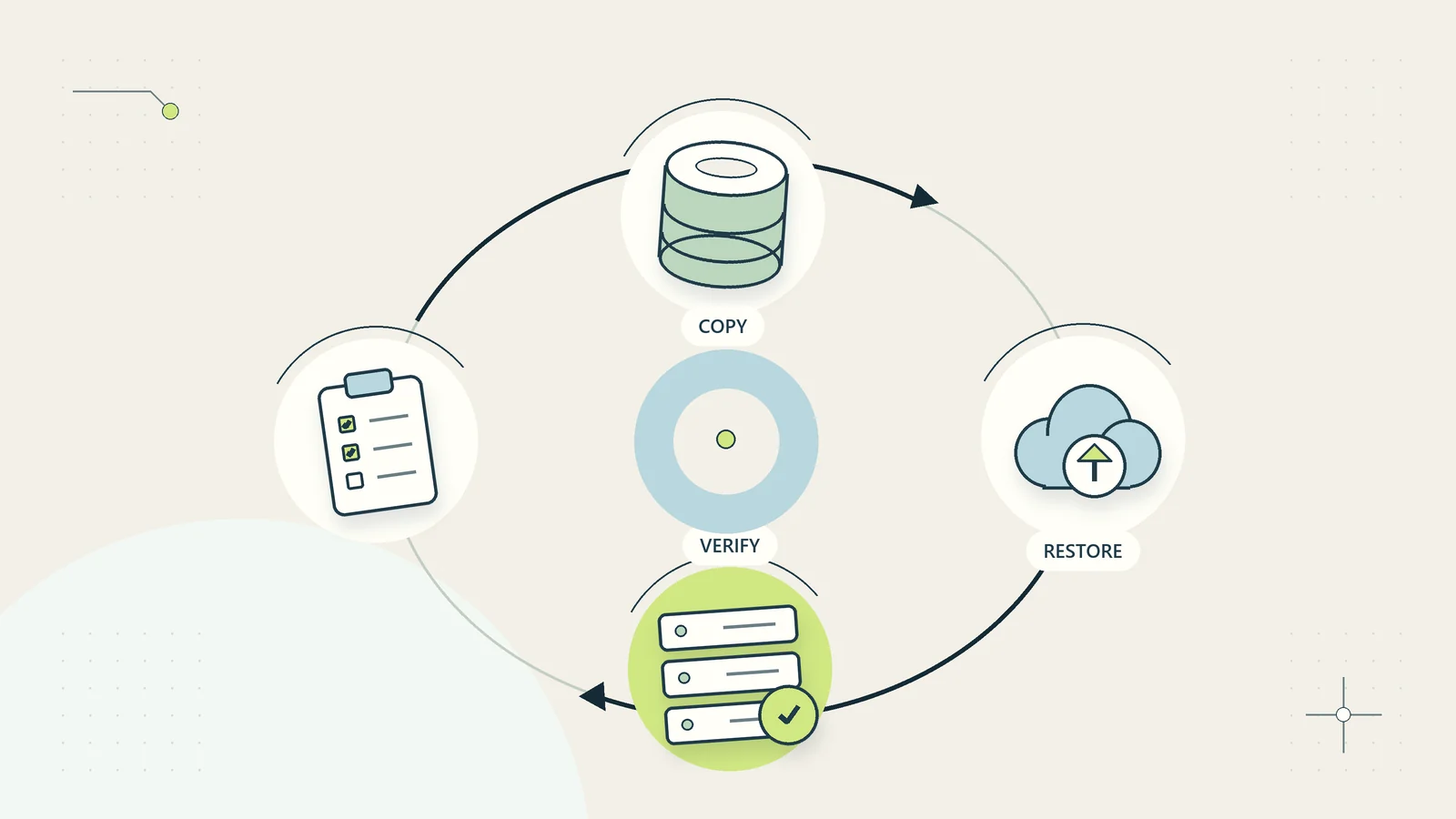
A backup is useful only if the business can recover the information it needs in a form people can use. A green success indicator may show that a copy job completed. It does not establish that the copy contains every required file, that somebody can unlock it during an outage, or that the restored records still connect to the work they support.
A restoration test checks those assumptions before a real incident. For a small business, it can begin with one representative project restored into a separate, controlled location. The goal is to learn what recovery actually requires, correct the gaps, and write a procedure another authorized person can follow.
This article presents an original test plan rather than instructions for a particular backup product. It does not require a new software subscription. The hypothetical exercise is deliberately small; a successful sample does not prove that every system or disaster scenario is covered.
Define the business service you want to recover
Start with a service, not a folder name. For example, the business may need to resume answering open customer requests, preparing a week’s deliveries, or accessing approved project documents. List the records, applications, permissions, and people required to do that work.
This exposes dependencies that a file-only test can miss. A restored spreadsheet may need a lookup table stored elsewhere. A document may contain a link to an attachment that was never included in the backup. A customer request may be readable but impossible to update because the system account is unavailable.
The NCSC’s backup guidance for small organisations explicitly advises knowing how to restore backups and checking that important information is included. The operating test below turns that basic principle into a specific business exercise. Keep the scope narrow enough to complete, but broad enough to demonstrate one real task from start to finish.
Agree acceptable interruption and information loss
Discuss two separate questions with the service owner. How long could this service be unavailable before the business needs an alternative? How much recent work could be missing from a recovered copy before the business faces an unacceptable problem? The answers help you judge whether the current backup arrangement fits the work.
These are business requirements, not targets an administrator should invent alone. An archived marketing project and today’s dispatch queue may have very different needs. Record the reasoning and the person who approved it. Use plain units such as hours or completed transactions rather than unexplained technical abbreviations.
For the test, distinguish the desired recovery time from the observed time. If the team hopes to recover within two hours but the exercise takes four, record four. Do not quietly restart the clock after finding the instructions. Searching for credentials, locating the correct copy, and obtaining approval are part of the recovery effort people will face during a disruption.
Inventory what the backup includes and excludes
Write down the protected systems, backup schedule, storage locations, retention settings, encryption arrangements, and the identity allowed to restore. Note exclusions such as local laptop folders, archived accounts, external attachments, website uploads, or information held only in an employee’s personal workspace.
Be careful with synchronization. A synchronized copy can be valuable, but its behavior after deletion, corruption, or account compromise needs examination. Do not assume that every second location is an independent historical backup. Check the current documentation for your actual service and configuration.
The inventory should also identify what is necessary to interpret the recovered information: folder structure, version history where required, record identifiers, configuration, and application dependencies. Connect this work with the document management system guide so ownership and recovery are considered together. Store sensitive configuration securely; the test plan should reference secrets rather than reproduce them.
Choose a representative sample rather than an easy one
Select a sample that includes ordinary work and meaningful edge cases. For a project folder, that might mean a current document, an older version, an image, a nested folder, a restricted item, and a file containing a link. For a record system, include a completed record, an open record, an attachment, and a relationship to another record.
Avoid selecting only a recently created text file because it is convenient. It may prove that one file can be downloaded while leaving the important recovery questions unanswered. Equally, do not turn the first exercise into a full production rebuild without the necessary planning and expertise.
Record why each sample item was chosen and what success looks like. Use harmless test data when it can demonstrate the same behavior. If real confidential information is necessary, restrict the restoration location and the people who can inspect it. A recovery exercise must not create an uncontrolled extra copy of customer information.
Prepare a safe restoration location
Restore into a separate location whenever the product and test design allow it. Label the location clearly and prevent it from sending messages, processing payments, updating live records, or synchronizing changes back to production. Ask the administrator to identify any automatic jobs that might run after restoration.
Define who can access the recovered material and how long the test copy will exist. The business should know where that copy will go at the end of the exercise. Deleting the test copy should follow the approved retention and incident requirements, not an improvised tidy-up.
Document a stop condition. For example, stop if the test begins changing live data, exposes information to an unintended user, or requires an unapproved destructive action. A test that threatens the working service has exceeded its safe scope. If the tool cannot restore without overwriting production, obtain specialist help and design an appropriate isolated environment before proceeding.
Run the test with a recovery log
Start the clock when the authorized operator receives the recovery instruction. Record the chosen backup date, the restored scope, important decisions, errors, and completion times. Keep the log concise but specific enough to explain delays.
Use a table such as this during the exercise:
| Checkpoint | Evidence to record | Reason it matters |
|---|---|---|
| Backup located | Copy identifier and timestamp | Confirms which historical state was used |
| Restore authorized | Approver and scope | Prevents an accidental broad recovery |
| Material restored | Destination and item counts | Establishes what arrived |
| Content checked | Sample items opened and compared | Finds unreadable or incomplete files |
| Service demonstrated | Business task performed safely | Tests usefulness beyond file presence |
| Test closed | Copy disposition and unresolved issues | Prevents abandoned sensitive material |
Do not put passwords, encryption keys, or recovery codes in the log. Record that the authorized operator could obtain them through the approved route. A failed access step is a finding that needs resolution, not an invitation to weaken protection for the exercise.
Validate content, relationships, and permissions
Counts help, but they are not enough. Open representative files, inspect meaningful content, and compare the recovered state with the expected backup point. Check whether attachments exist, links resolve appropriately, and records retain their identifiers and relationships.
Validate permissions in the test environment. A successful restore that exposes confidential project files to every employee is incomplete. Conversely, a restore that nobody can read does not enable recovery. Use an approved test identity to inspect the intended access boundary without impersonating another employee.
If checksums or other integrity tools are available and appropriate, the administrator can use them to compare copies. They do not replace a business-use test: a perfectly copied file can still be the wrong file or lack a required companion document. The business access review guide explains how to connect resource permissions with current responsibilities.
A hypothetical restoration exercise
Consider a small training business testing recovery of one completed course project. The sample contains the schedule, approved materials, attendance administration records, and a completion checklist. The service owner wants the team to retrieve an approved handout and explain which version was used for the course.
The operator restores the project into a restricted test area. The handout opens correctly, but the completion checklist points to an attachment stored in a personal folder that was excluded from the backup. The exercise therefore demonstrates partial file recovery but fails the complete business task.
The owner records the missing dependency, moves the authoritative attachment into the approved business location, and confirms that the backup scope includes it. A second targeted test checks that correction. The first failure remains in the record; it is not overwritten by the later success.
This example does not imply a particular recovery time or product capability. Its lesson is that an apparently small dependency can determine whether recovered information is usable. The corrective action improves the system because somebody tests the entire task rather than only the main folder.
Treat failures as work with owners and deadlines
Classify each finding by the effect on the service. Missing encryption access, absent current records, and a slow but complete restoration require different responses. Give every finding a named owner, next action, and retest requirement.
Avoid vague remedies such as improve backups. State the change that will make a difference: include the shared attachment directory, document the alternative administrator route, change the backup schedule after business approval, or add a validation check for a specific record type. If a requirement cannot be met with the current arrangement, explain the gap to the service owner.
Track unresolved items until verified. Buying a new backup service is not itself evidence that the gap is closed. Repeat the failed part of the exercise using the revised arrangement. The business continuity guide can help connect the findings with temporary workarounds and communication during a longer disruption.
Reconcile work created after the restored point
A historical copy will not necessarily contain the latest work. Identify how the team would find activity created between that copy and the disruption: a dispatch record, an acknowledged customer request, or an approved project change. Do not assume that replaying every recent action is safe. Some actions may already have reached an external recipient even though the recovered system no longer shows them.
For the test, include one simulated item created after the chosen backup point. Ask the service owner how it would be detected, checked, and reintroduced without duplication. Record the evidence required before sending another message or recreating a transaction. This small exercise distinguishes recovering stored information from resuming the business responsibly. If the team cannot establish what happened, mark the item as uncertain and assign a decision owner rather than silently recreating it.
Make recovery possible when the usual administrator is absent
A plan that depends on one person’s memory is fragile. Ask a second authorized person to follow the written instructions for a limited repeat exercise. Observe where the procedure assumes hidden knowledge: which account to use, how to identify the right backup, where approval comes from, or which system must be restored first.
Keep recovery instructions available through an approved route that does not depend entirely on the system being recovered. This does not mean leaving unrestricted copies on personal devices. Agree a secure alternative with the people responsible for the information.
Review contact details and recovery authority when staff roles change. If an employee owns the only working recovery identity, address that dependency through the offboarding access process before their departure. Continuity and access restriction need to be designed together so the business can recover without retaining inappropriate personal access.
Test the instructions when a dependency is unavailable
A restoration exercise often runs under comfortable conditions: the usual administrator is present, the main email account works, and the office network is available. Choose one additional dependency to vary in a later controlled exercise. For example, ask the backup operator to follow the approved alternative route when the normal instructions folder cannot be reached.
Do not simulate an outage by disabling important production services casually. Use a tabletop scenario or an isolated test arrangement that the responsible owner approves. The purpose is to find whether the procedure assumes access to the very service it is meant to recover.
Record which supporting items are needed: an authorized device, secure access to recovery material, a compatible application, a trusted contact route, or an available decision-maker. Assign an owner to missing alternatives. A business may decide that some dependencies cannot be duplicated economically, but that should become an explicit continuity decision with an understood workaround. Repeating the same easy restoration indefinitely will not expose these practical barriers. A modest change in scenario can reveal why a technically valid backup would still take much longer to use during an actual disruption.
Build a realistic repeat schedule
Use the first exercise to set a repeatable scope. Rotate through important services and backup types over time. Repeat relevant tests after substantial changes such as a migration, a new encryption arrangement, a changed backup provider, or a revised folder structure.
Track observed restoration time, age of the recovered information, completeness of the business task, unresolved findings, and whether someone other than the usual operator could follow the procedure. Keep these observations separate from desired targets. A short dashboard can show where the business has evidence and where it still has assumptions.
The next useful action is modest: choose one important business task, identify the information it needs, and book a controlled restoration exercise with a clear owner. The result may be reassuring or inconvenient. Either way, it gives the business something more dependable than a success notification: evidence about what recovery actually takes.
Sources and editorial method
Checked October 15, 2026. Primary references: NCSC: Backing up your data and NIST Small Business Cybersecurity Corner: guidance by topic. The NCSC source supports the basic need to know how to restore and check backup contents; NIST provides related small-business security resources. The sample design, log, validation method, and training-business example are original guidance. The example is hypothetical, not a tested product deployment or a guarantee of recovery.