Connect home service enquiries, dispatch, and completion records
Link customer enquiries, confirmed visits, dispatch details, scope changes, completion evidence, and billing with practical handoffs for home service teams.
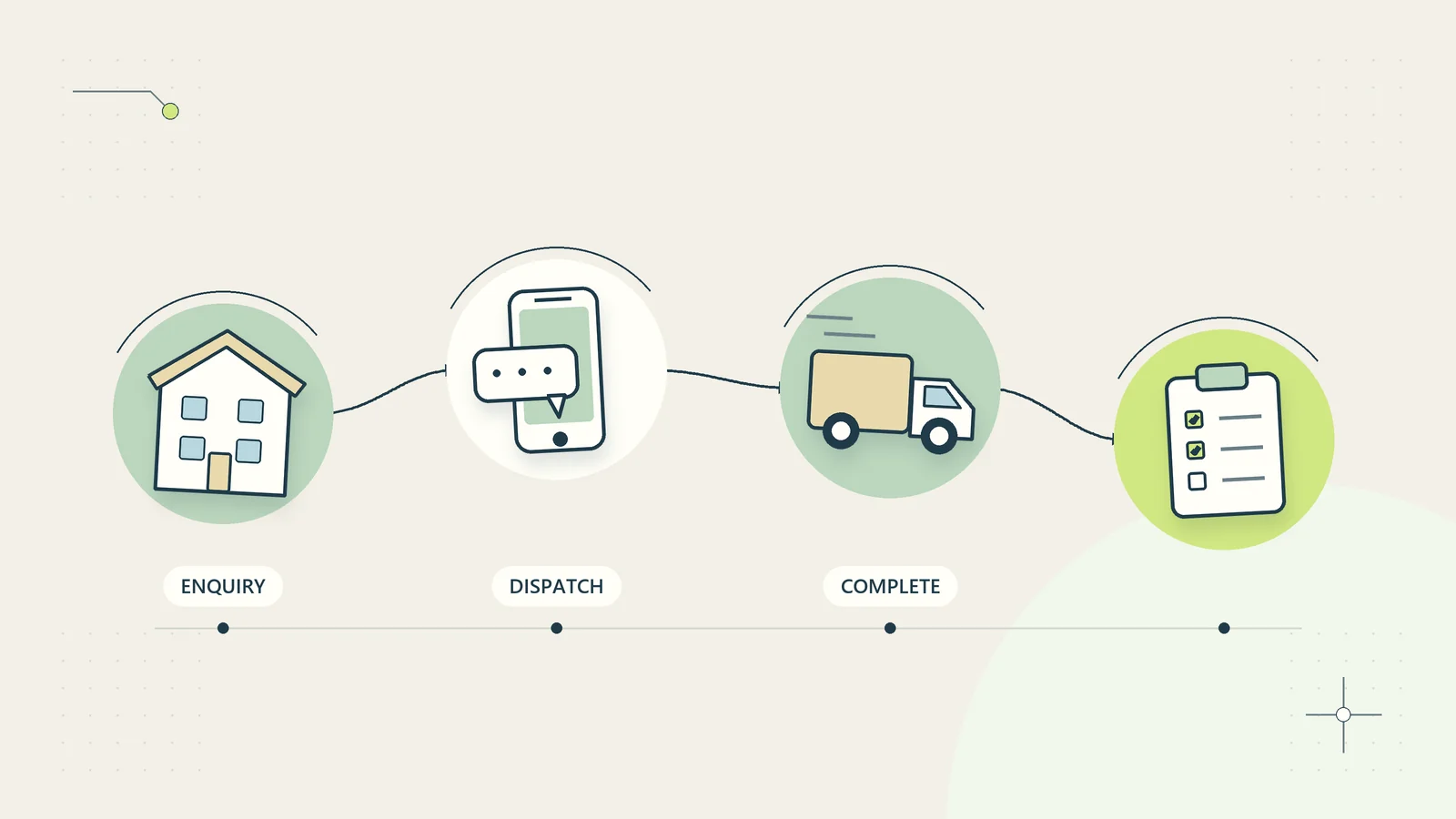
A home service business often loses time between the enquiry and the work itself. The office promises a visit before checking availability, the technician arrives without the right access information, or the completion note never reaches the person preparing the invoice. These are handoff problems rather than proof that the team needs another app.
The practical solution is a shared record connecting the customer’s request, the agreed visit, the technician’s findings, any authorization, and the final evidence. A first-party form and a simple dispatch board can support that record, provided the team defines what each stage actually means.
This guide describes administrative coordination for services such as maintenance, cleaning, installation, and repairs. It does not provide technical repair instructions, emergency triage, or occupational safety advice. Safety assessments, regulated work, and changes requiring specialist judgment belong with competent people following applicable local requirements.
Capture an enquiry without diagnosing the problem
The initial record should help the business understand the request and decide who needs to review it. Capture the contact route, service address or area, requested service, observable symptoms, access constraints, and any relevant existing job reference.
Ask customers to describe what they can observe rather than asking them to choose a technical diagnosis. A person may know that equipment is making an unusual noise without knowing which part is responsible. Treat customer descriptions as reported information, not confirmed findings.
Explain the form’s purpose and response expectations. If it is not monitored for emergencies, say so clearly and provide the appropriate general direction established by the business. Do not create an automated questionnaire that offers unsupported reassurance about potentially hazardous situations.
Use the client intake information guide to remove questions that do not change the next step. Fewer, clearer questions can produce better dispatch information than a long form full of technical guesses.
Separate acknowledgement from appointment confirmation
An automatic acknowledgement should confirm that the enquiry was received. It should not imply that a technician has been assigned, a time reserved, or a quoted price accepted unless those events are actually confirmed.
Keep a clear distinction between requested date, proposed visit window, and confirmed appointment. Record the applicable time zone where the service area makes that necessary. A customer should be able to tell whether the business is offering an option or making a commitment.
Before confirmation, check service coverage, required capability, expected duration, travel allowance, relevant access arrangements, and available resources. If the request needs an initial assessment rather than a repair visit, describe that scope accurately.
Where a visit has a charge or cancellation condition, communicate the approved terms at the appropriate point. Do not bury important information in an unrelated reminder after the customer believes the appointment is already agreed.
Build a dispatch record the technician can use
The dispatch record should answer what the person is going to do, where they are going, what has been agreed, and what needs attention before work begins. It should not require reading an entire inbox thread on a phone at the doorstep.
| Dispatch field | Useful content | Avoid |
|---|---|---|
| Job reference | Stable identifier linked to the enquiry | Customer name as the only identifier |
| Visit scope | Assessment, agreed service, or authorized work | An assumed promise to fix every issue |
| Location and access | Verified address and necessary arrangements | Sensitive access codes in broad messages |
| Customer contact | Current contact and appropriate communication route | Unchecked numbers copied from old jobs |
| Reported issue | Customer’s description with source and date | An unverified technical diagnosis |
| Resources | Required capability and known parts information | Assuming all technicians have identical equipment |
| Exceptions | Specific issue requiring review | A vague urgent label with no explanation |
Keep private information limited to the people who need it. An appointment reminder may need the visit window; it does not need a full description of a customer’s personal circumstances or building security arrangements.
Plan capacity around the actual visit
Dispatch is more than finding an empty calendar square. Allow for travel, preparation, variable assessment time, documentation, and the possibility that a prior job will run longer than expected.
Use service types as planning estimates rather than guarantees. Review actual durations by comparable work, and keep unusual jobs separate so that a complex installation does not distort estimates for a short inspection.
Leave a route for a dispatcher to revise the plan when new information arrives. A technician should be able to report a delay without being forced to mark the previous job complete prematurely. The customer communication should follow the revised commitment, not the original optimistic schedule.
The small-business capacity planning guide can help separate available hours from realistically bookable work. Use that distinction to avoid making every disruption a customer service emergency.
Preserve safety and competence decisions
An administrative workflow should surface relevant concerns and route them to the appropriate person. It should never authorize unsafe work merely because the booking is paid or the next appointment is waiting.
The UK Health and Safety Executive’s lone working guidance discusses assessment, training, supervision, monitoring, and communication for people working alone. Its legal references are UK-specific. Businesses elsewhere should establish their own applicable obligations and competent safety procedures.
Keep a separate operational route for a technician who cannot safely continue or cannot access the site. The dispatch board should show that the job is paused and needs a decision, rather than making the technician choose between false completion and an unexplained absence.
Do not embed technical hazard instructions in a generic customer service automation. The business should maintain approved, role-appropriate procedures and train people to recognize when specialist review or an emergency response is required.
Control changes after arrival
The visit may reveal that the actual work differs from the original request. Record the finding, proposed change, price or scope implication where applicable, and the person authorized to decide. Keep the customer’s original request separate from the technician’s assessment.
Do not treat arrival at the property as unlimited permission to perform additional work. Follow the business’s approved authorization process and any applicable consumer or contracting requirements. Preserve the approved version so that later billing can be explained.
If the decision cannot be obtained, record what was completed, what remains, and what is paused. A return visit can then be planned using actual evidence rather than a vague note saying follow up.
For larger changes, the construction change request records guide provides a related administrative framework. Adapt its recordkeeping approach to the scale of the job without implying that every home service needs a construction contract process.
Define completion evidence for each service
Completion should mean that the agreed work has reached its defined endpoint and the required records are present. The evidence differs by service. A cleaning checklist, an installation record, and an assessment report should not share one generic done checkbox.
Capture the work performed, date, responsible technician, relevant readings or checks established by the technical procedure, parts used where applicable, remaining issues, and customer instructions. Do not ask administrators to interpret technical measurements outside their competence.
The ENERGY STAR HVAC quality installation page illustrates why installation quality involves specific design and performance considerations. It does not provide a universal completion checklist for all trades or establish that a business is certified.
For photos, explain the purpose and handle personal or property information appropriately. A useful image of completed work should not unnecessarily include residents, documents, or private areas unrelated to the service.
Connect completion to billing without inventing approval
The invoice preparer needs the authorized scope, relevant price basis, completion evidence, approved changes, and any unresolved issue affecting the bill. A technician’s note saying finished does not by itself establish the correct charge.
Create a ready-for-billing check. It can verify that the required administrative fields are present while leaving pricing disputes, technical judgments, and accounting questions to their authorized owners.
If a customer disputes the work, preserve the complaint alongside the completion record. Do not delete the original note or automatically mark the complaint invalid because the job was closed. A billing hold should state its reason and decision owner.
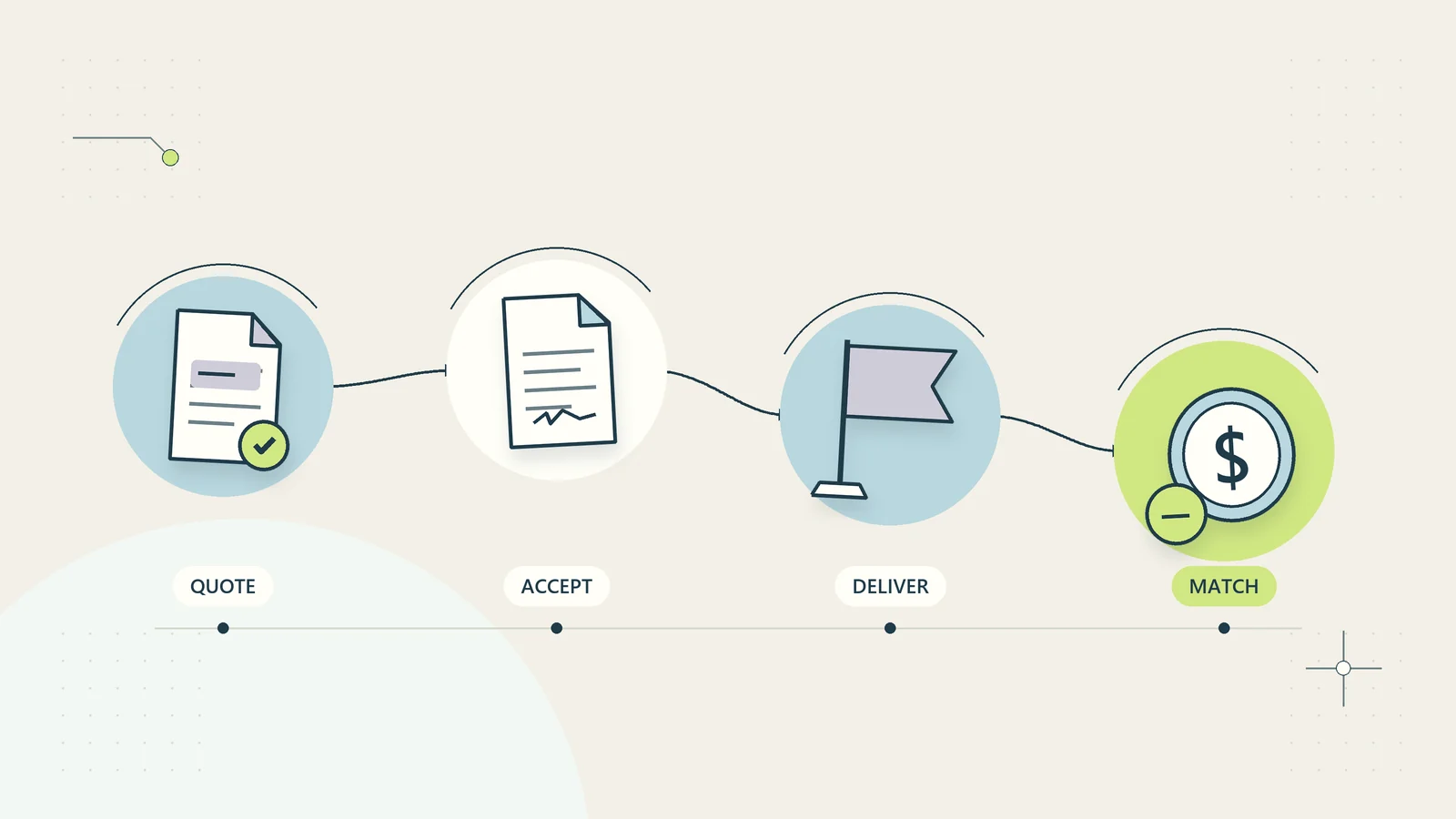
The quote-to-cash guide connects authorization, delivery evidence, invoices, and payment matching. The same chain can keep a small home service business from charging for an obsolete scope or forgetting an approved additional visit.
Work through a hypothetical repair visit
Imagine a local maintenance business receiving a report that a kitchen cabinet door will not close properly. Enquiry E-211 records the customer’s description, contact details, property address, and a note that access requires advance coordination with a building manager.
The office acknowledges receipt, checks service coverage, and proposes a visit window. After the customer confirms it, job J-211 is assigned to a technician with the relevant capability. The dispatch note states that the visit covers assessment and the specifically agreed minor adjustment scope.
On arrival, the technician finds damage requiring a different part. The finding is recorded as an assessment, not as something the customer should have diagnosed in the form. Additional work is paused while the approved change process establishes scope and price.
The customer authorizes a return visit. The first record shows the assessment completed and the repair outstanding. After the return visit, the technician records the work and the required checks. The billing owner receives both the original authorization and the approved change, with one connected job history.
This example does not promise a repair outcome or a particular service duration. It shows how clear records prevent the original booking from becoming an inaccurate invoice.
Give exceptions a recovery route
Common exceptions include no access, unavailable parts, a customer cancellation, a technician delay, an incomplete authorization, and an unclear completion record. Each should lead to a named next action rather than an abandoned job.
| Exception | Record immediately | Next decision |
|---|---|---|
| No site access | Attempt, time, and appropriate factual context | Reschedule under the agreed policy |
| Required part unavailable | Confirmed requirement and current evidence | Agree an achievable next update |
| Scope changed | Finding and proposed change | Obtain authorized review |
| Delay affects later visits | Revised timing and affected jobs | Replan and communicate commitments |
| Completion information missing | Specific missing evidence | Return to the responsible owner |
Avoid turning an estimate from a supplier into a guaranteed customer promise. State what is confirmed and when the business will check again. A truthful update can be useful even when there is no new completion date.
Pilot one service type before expanding
Choose a common, manageable service and follow its full path from enquiry to billing. Review recent examples to identify repeated questions, missing access details, schedule corrections, and incomplete job notes.
During the pilot, measure jobs with a clear next owner, visits delayed by missing information, corrections required before billing, and the age of unresolved exceptions. Review the underlying cases rather than rewarding a team for closing records quickly.
Set stop conditions for automated messages. Pause a rule if it confirms an unreserved appointment, exposes private access information, or tells a customer that work is complete without the required evidence. Correct the cause and check affected records before restarting.
The aim is a connected service history that customers and staff can understand. Routine administration can become largely self-serve and automatic, while technical work, safety decisions, disputed charges, and unusual circumstances remain visible to the people responsible for them.
Make the end-of-day review useful
An end-of-day review should identify work that needs a decision before the next dispatch cycle. Check jobs without completion evidence, visits requiring parts, promises made to customers, and appointments affected by an unresolved delay. Focus on the next action rather than asking every technician to retell the entire day.
For each open item, record a specific owner and a realistic check-in time. A note saying office to follow up can leave several people assuming someone else is handling it. A note saying the dispatcher will confirm the supplier’s current estimate by the next business morning makes the responsibility visible.
Compare the customer’s latest message with the internal record. A technician may have agreed to send an update while the office thinks the customer is waiting for a quote. Resolve that difference before issuing another automated reminder. Otherwise, a well-intended message can create a second, conflicting promise.
Keep completed work available for later questions without leaving it in the active dispatch queue. The archive should preserve the job reference, authorization history, evidence, and billing connection. The active board should show work that still requires attention.
Periodically review repeated exceptions together. If several visits fail because access arrangements are missing, change the intake or confirmation step. If completion notes repeatedly omit the same field, simplify the technician’s checklist. Improving the source of the problem is more useful than adding a permanent daily chase for information the workflow should already capture.
Where repeat visits are common, link them to the earlier work instead of creating an unrelated enquiry every time. Show the reason for returning, the relevant authorization, and what evidence from the first visit remains current. Recheck details that can change, such as contact information and access arrangements. A connected history should save re-entry without encouraging staff to trust stale instructions.
Keep customer preferences distinct from promises. A preference for a morning visit is useful scheduling information; it becomes a commitment only when the business confirms an available arrangement. That distinction prevents a helpful intake field from becoming an accidental service guarantee.
Sources and editorial method
Sources checked on October 15, 2026. The dispatch model, decision tables, and hypothetical example are original operational recommendations. Official references support limited points about lone working and the specificity of technical completion evidence. This is not technical installation guidance or a claim of certification.
- HSE: Manage the risks of working alone — UK occupational safety context.
- ENERGY STAR: HVAC Quality Installation — example of service-specific installation quality considerations.